
In this post
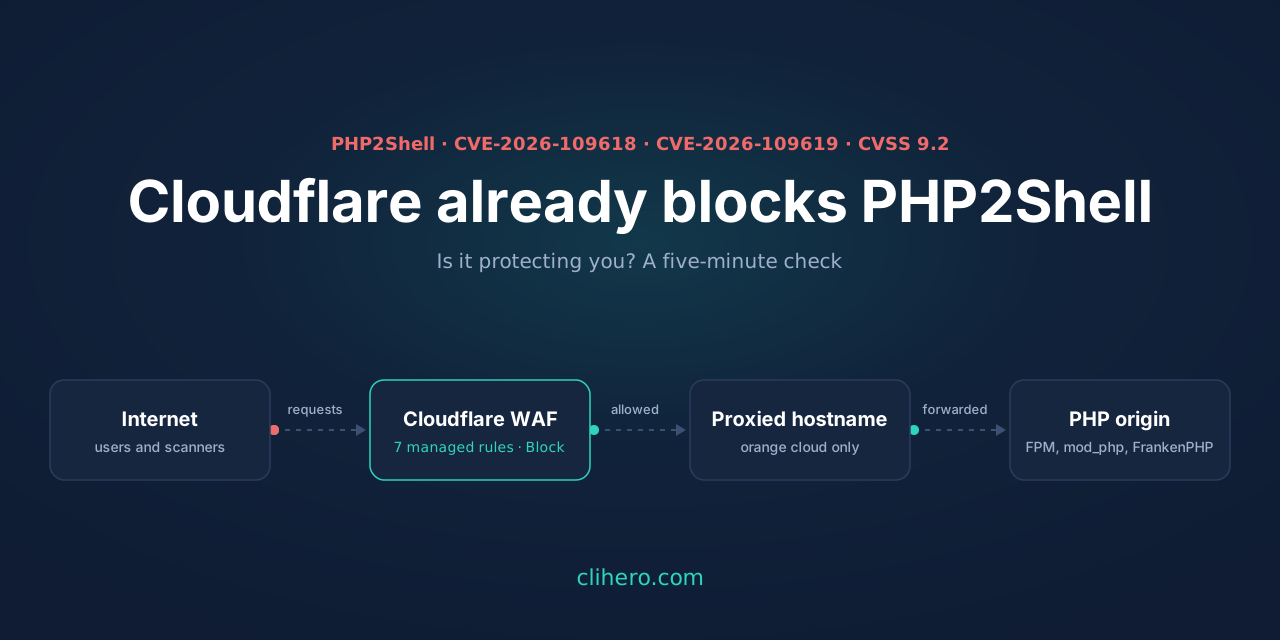
Earlier today I wrote about putting AWS WAF in front of PHP for PHP2Shell, the two remote code execution bugs in PHP’s own runtime (CVE-2026-109618 and CVE-2026-109619, CVSS 9.2) that take one unauthenticated request to exploit. On AWS you build the rules yourself.
On Cloudflare you don’t. Cloudflare had the exploit details early, shipped detections as an emergency release on October 21, and switched them on for every plan including Free at 03:02 UTC, about nine hours before the PHP advisories went public. When I opened my dashboard this afternoon it told me so:
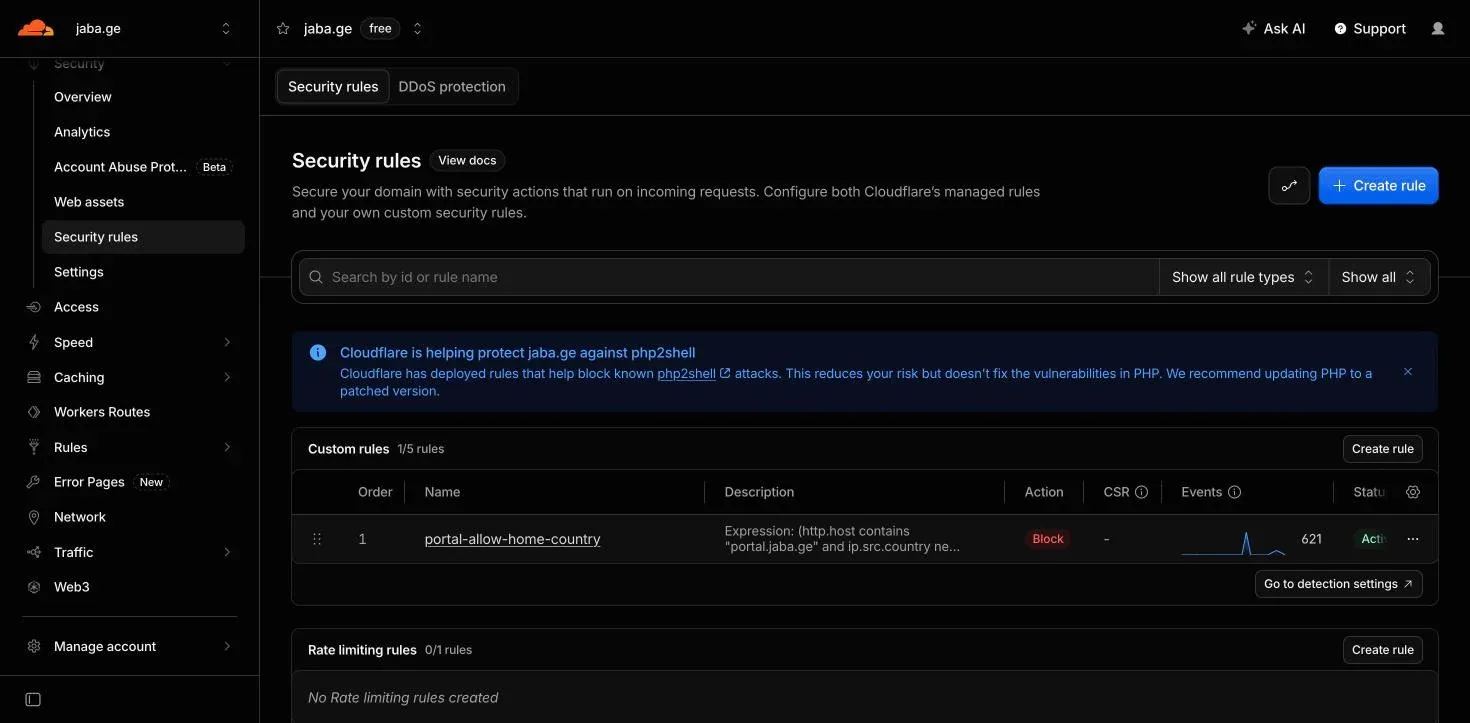
There are still three things to check, because the rules only protect what they can see and what they’re allowed to block. This post is the five-minute check I did on my own zones. The fixed PHP versions are still 8.5.12, 8.4.27, 8.3.36 and 8.2.35, and upgrading is still the only real fix.
A note on the screenshots: the zone is my real jaba.ge, on the Free plan, so that’s the view you’ll see. The account ID, IP addresses, most DNS record names and my existing rule name are replaced with placeholder values.
What Cloudflare deployed
From the WAF changelog and Cloudflare’s blog post:
| Ruleset | Plans | What was added |
|---|---|---|
Cloudflare Managed Free Ruleset (77454fe2d30c4220b5701f6fdfb893ba) | Free and up | ”Generic Rules - Anomalous Execution” 1 to 7, action Block |
Cloudflare Managed Ruleset (efb7b8c949ac4650a09736fc376e9aee) | Pro, Business, Enterprise | the same seven rules, action Block |
| Cloudflare Managed Response Firewall Default | all plans | ”Default block for High confidence Signatures” (afffe22785674c80a31875c848d2242a) |
You can see the first set on a Free zone under Security > Settings > Cloudflare managed ruleset > View ruleset. Search for “Anomalous”:
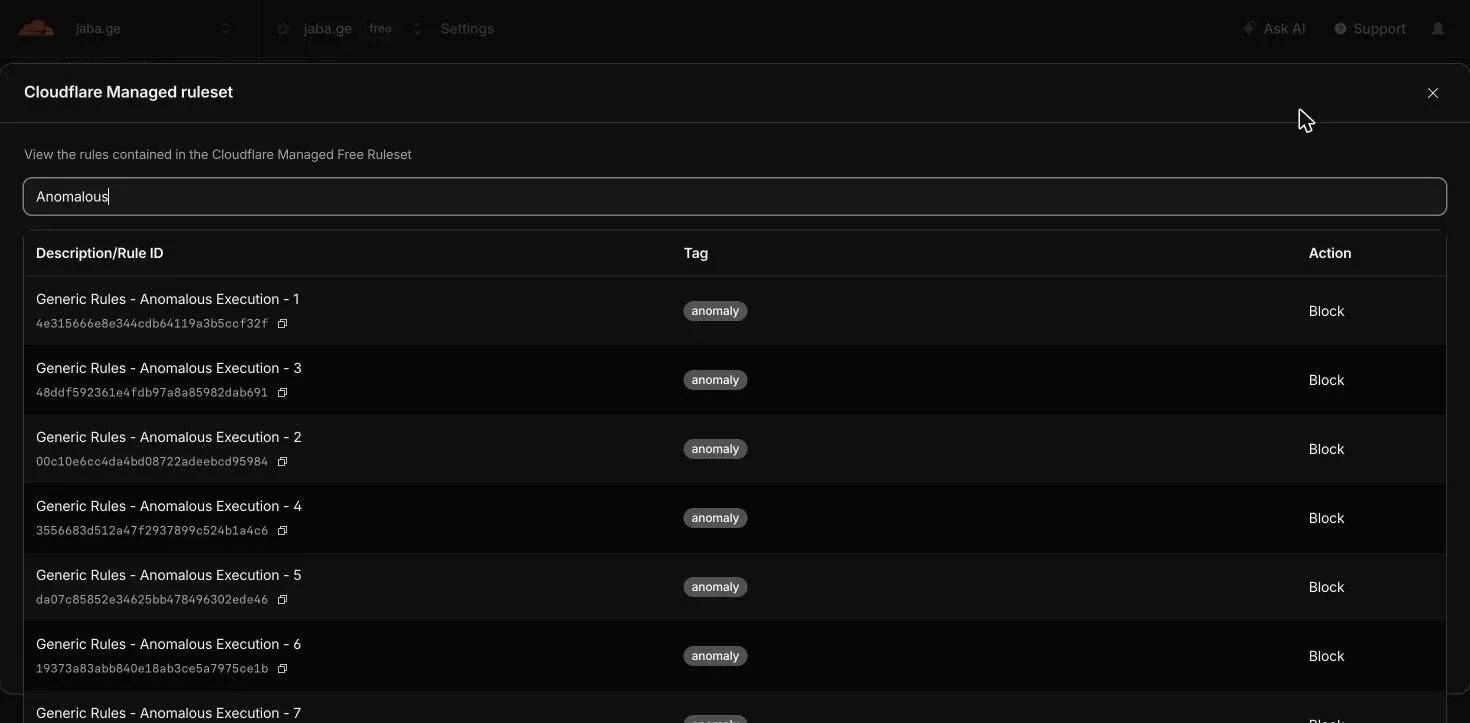
The third row in the table is new. It’s the first managed detection that looks at the origin’s response as well as the request. If a request slips past the request rules but the server answers with something that looks like command output, the response is blocked before it reaches the attacker. Cloudflare also said attackers were already mutating payloads, and that the rules will keep changing.
Check 1: does the traffic go through Cloudflare at all?
The WAF only sees requests that pass through Cloudflare’s proxy, which is the orange cloud in DNS. Here’s one of my zones. Note the one grey cloud, and that most records are DNS only:
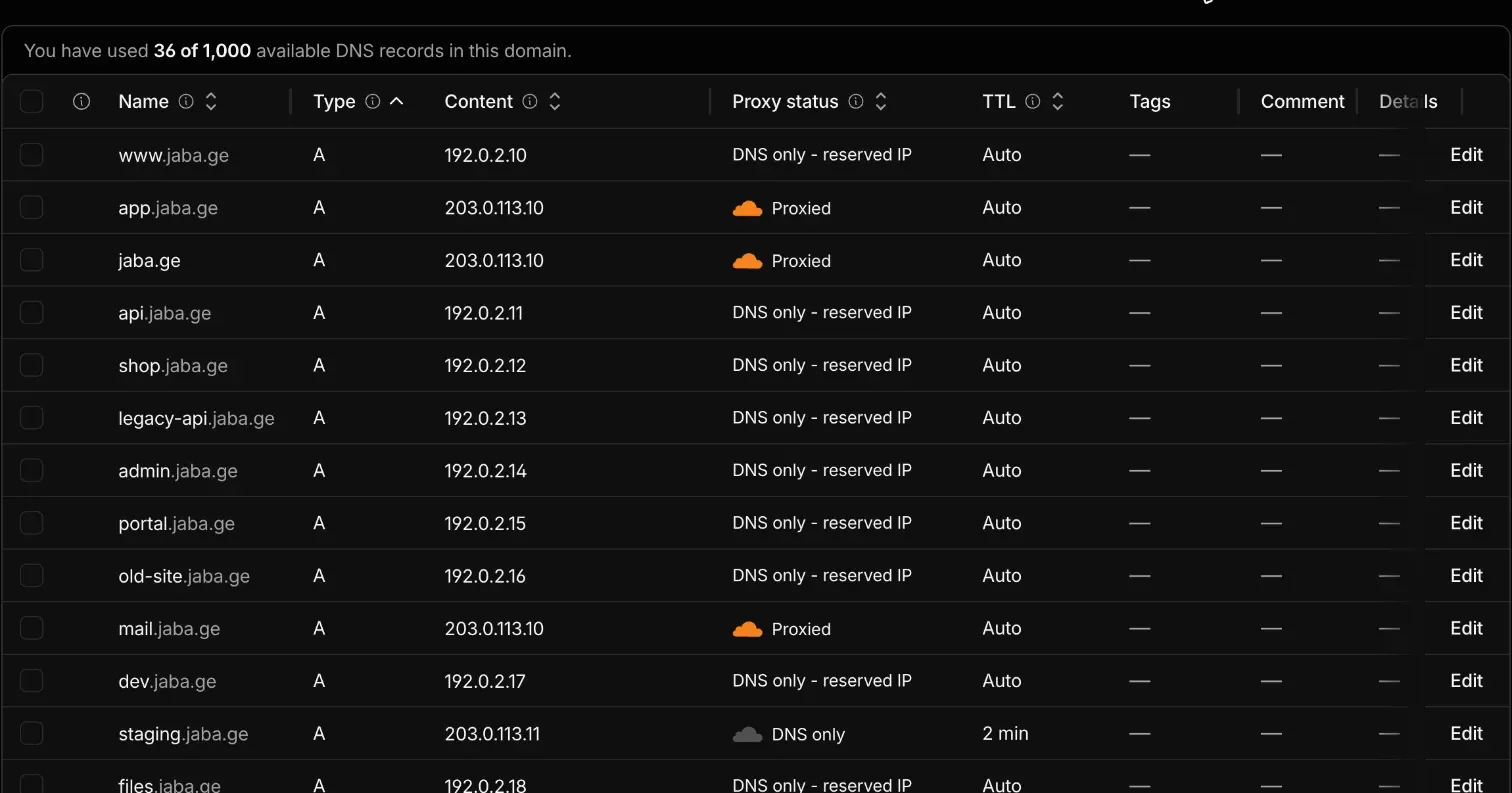
A grey-cloud record is a direct line to your server with no WAF in between. The “DNS only - reserved IP” rows are private addresses that can’t be proxied anyway, which is fine for a home lab and not fine for anything public. Go through every hostname that serves PHP and make sure it’s orange.
Then the part people skip: the origin’s public IP. Attackers scan IP ranges, not hostnames, and Cloudflare’s rules never see a request sent straight to the IP. Test it from outside your network:
# a 200 here means the WAF can be bypassed
curl -sk -o /dev/null -w '%{http_code}\n' -H 'Host: jaba.ge' https://203.0.113.10/
If that answers, lock the origin down. The clean way is Cloudflare Tunnel, with no inbound port at all. The quick way is a firewall allowlist of Cloudflare’s published ranges:
for ip in $(curl -s https://www.cloudflare.com/ips-v4) $(curl -s https://www.cloudflare.com/ips-v6); do
  ufw allow proto tcp from "$ip" to any port 80,443 comment cloudflare
done
ufw deny 80/tcp && ufw deny 443/tcp
Without this, everything below is decoration.
Check 2: are the rules deployed, and in Block?
On Free there’s nothing to deploy. The Free Managed Ruleset is always on for proxied traffic, you can’t turn it off, and you can’t change its actions. You saw it in the screenshot above.
On Pro and above it’s different. The Cloudflare Managed Ruleset is something you deploy, and the new rules are in it. If you never deployed it, you only have the Free ruleset. Open Security > Security rules, find “Cloudflare Managed Ruleset” under managed rules, confirm it’s deployed, and confirm the action is Block, not Log. Cloudflare’s post asked paid customers to check exactly this.
Then look for hits. Security > Analytics > Events, filter by Ruleset ID with the ID from the table:
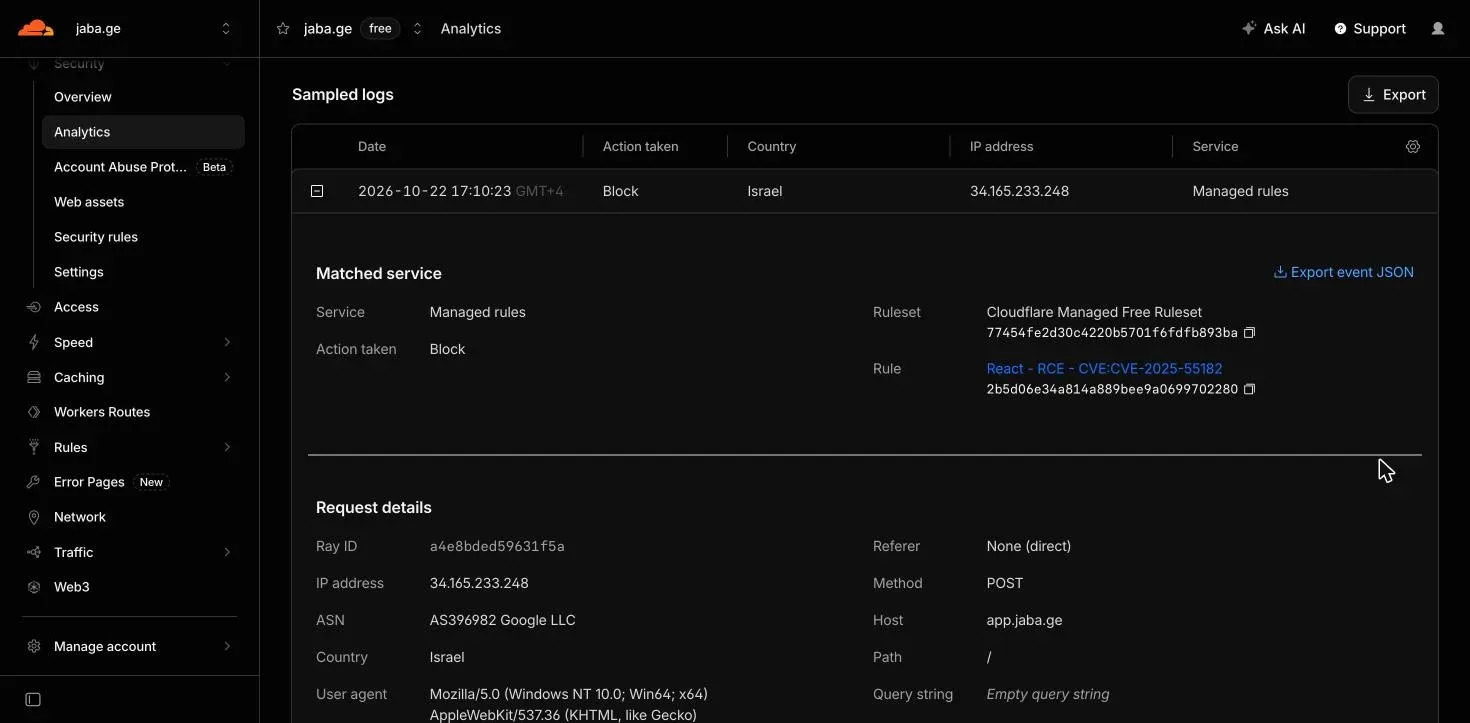
That one on my zone is a different RCE rule firing on a POST from a Google Cloud IP this afternoon, not PHP2Shell, but it shows what you’re looking for: the ruleset, the rule, the method and the path. Filter by Rule ID for the Anomalous Execution rules to see PHP2Shell specifically. No events is fine. It means nobody has tried, or they tried the origin IP directly, which brings you back to check 1.
Check 3: what you can add, and what you can’t
My AWS rule matched three things at once: a POST, a PHPSESSID cookie, and PHP_SESSION_UPLOAD_PROGRESS in the request body. I wanted the same thing on Cloudflare as a second layer.
You can’t, unless you’re on Enterprise. Every http.request.body.* field in the rules language is Enterprise-only. Custom rules on Free, Pro and Business can match the method, the path, the headers and the cookies, but not one byte of the body. That surprised me, and it’s the main reason to trust the managed rules rather than roll your own.
Here’s what each plan can do.
On Enterprise, the AWS rule translates directly. Custom rule, action Block:
http.request.method eq "POST"
and any(http.request.body.multipart.names[*] eq "PHP_SESSION_UPLOAD_PROGRESS")
and (http.cookie contains "PHPSESSID=" or http.request.body.raw contains "PHPSESSID")
http.request.body.multipart.names is the parsed list of part names, so this is an exact match rather than a substring search. The inspected body is capped at 128 KB.
On every plan you can block or challenge multipart POSTs. Both bugs start in PHP’s multipart parsing, so if the application has no uploads, refusing multipart/form-data removes the whole path. The Content-Type header is visible on every plan:
http.request.method eq "POST"
and any(http.request.headers["content-type"][*] contains "multipart/form-data")
and not starts_with(http.request.uri.path, "/upload")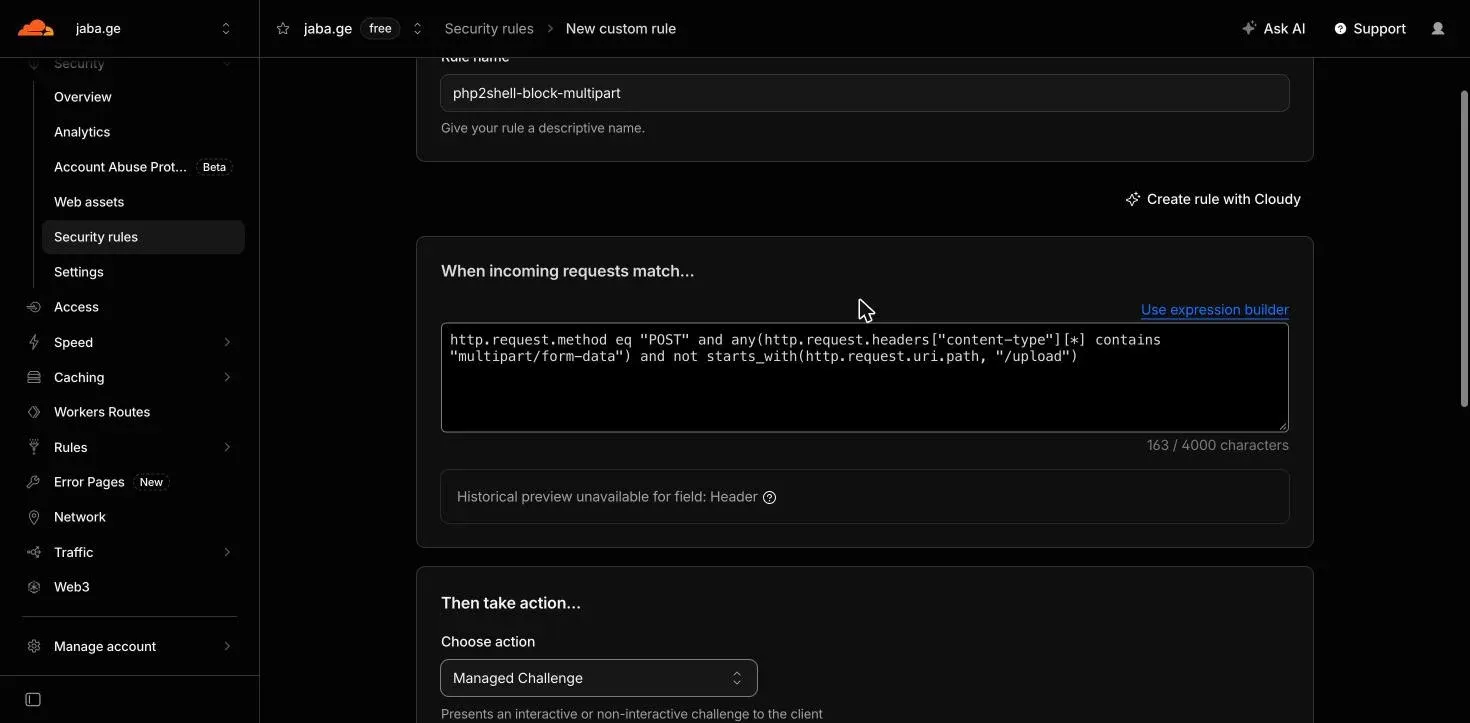
The not starts_with part is for apps that do take uploads: list the upload paths there. The action menu on Free has Managed Challenge, Block, Non-Interactive Challenge, Skip and Interactive Challenge. There’s no Log or Count, so you can’t dry-run a rule the way you can on AWS. Managed Challenge is the closest thing: browsers pass it without seeing anything, scripts don’t. I’d start there and move to Block once you’ve watched the events for a day.
On every plan you can also add a rate limit on POSTs. One rate limiting rule is included on Free. Both bugs need a worker to be hit repeatedly, so slowing an attacker down is worth something:
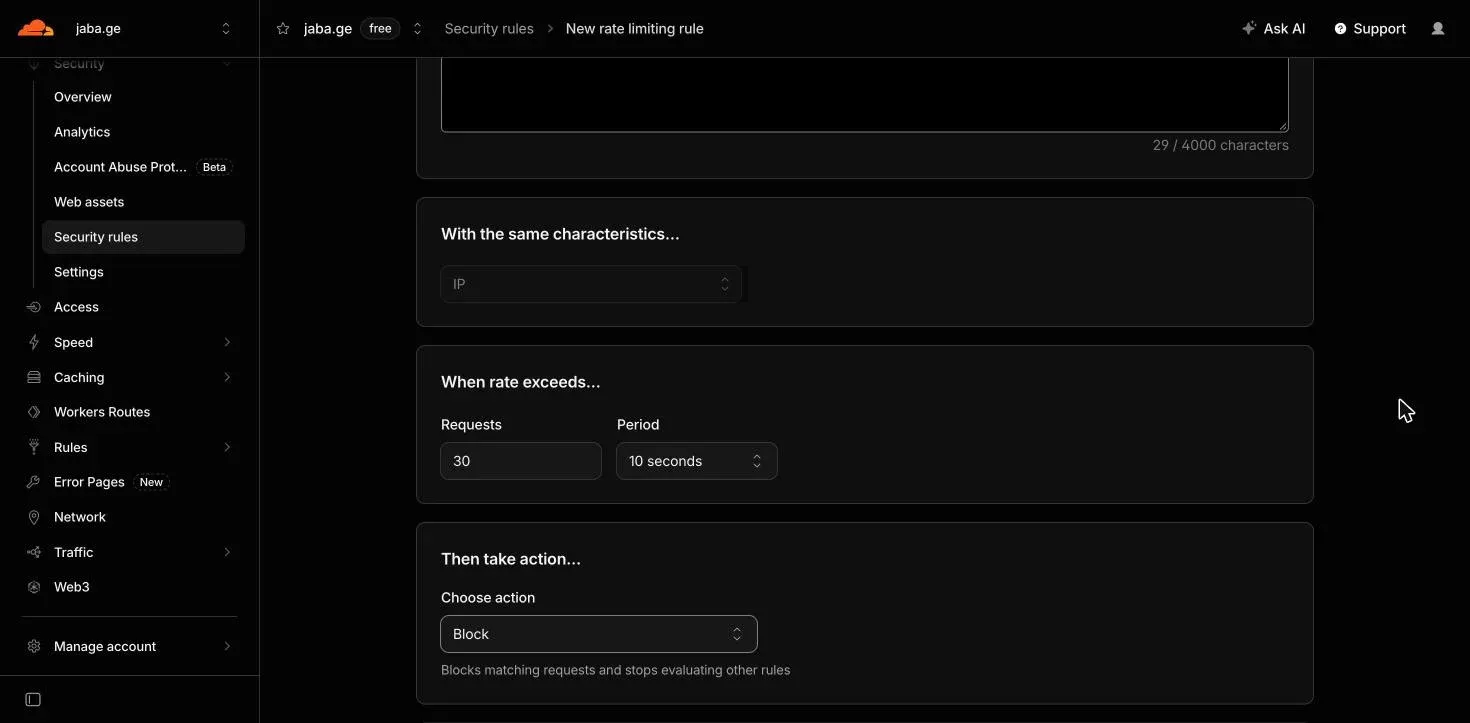
The period on Free is fixed at 10 seconds. 30 POSTs per 10 seconds per IP is generous for a normal site and tight for an exploit loop. Tune it to your traffic.
What you can’t do below Enterprise: cap the body size. http.request.body.size is Enterprise too, and Content-Length is a header string, so there’s no numeric comparison. Leave that to post_max_size in php.ini.
Test it
A harmless multipart POST carrying the upload progress field should come back as a 403 from Cloudflare, and the event should appear under Security > Analytics > Events within a minute:
curl -s -o /dev/null -w '%{http_code}\n' -X POST https://jaba.ge/ \
  -H 'Cookie: PHPSESSID=test' \
  -F 'PHP_SESSION_UPLOAD_PROGRESS=test'
The test command in my php2shell-guard script does the same for a list of URLs. If you get a 200, go back to check 1.
Where the WAF ends
Same as on AWS. The WAF sees HTTP, not PHP’s memory. CVE-2026-109619, the stale state bug, mostly happens below the layer any WAF inspects, and the response firewall can only block output. It can’t undo a file that was already written or a process that was already started. Cloudflare’s own advice is to keep the protection on while you patch, not instead of patching.
On the servers, until every one is upgraded:
session.upload_progress.enabled = 0
fatal_error_backtraces = 0      ; PHP 8.5 only
post_max_size = 8M              ; 32M if the app takes uploads
and pm.max_requests = 1 in the FPM pool if the performance cost is acceptable. The AWS post has the reasoning for each, and a section on what an attacker gets if a server is exploited.
The checklist
- Every PHP hostname proxied (orange cloud). Origin reachable only from Cloudflare’s IPs or through a Tunnel.
- Free: nothing to deploy. Pro and up: Cloudflare Managed Ruleset deployed, action Block.
- Security > Analytics > Events, filtered by the ruleset ID, checked once a day while this is live.
- No uploads? Block
multipart/form-dataPOSTs. Uploads? Managed Challenge, with the upload paths excluded. - One rate limit on POSTs.
- Enterprise: the exact upload-progress rule as a custom rule.
session.upload_progress.enabled = 0, then upgrade PHP.
Sources: Cloudflare blog, Cloudflare WAF changelog, Rules language fields reference, PHP release announcement.